Photography booking software A booking page as beautiful as your work.
Create a booking page in your studio's style, present your packages and let clients request a session at a time that suits you both. You confirm every booking yourself.
Free to start No coding No client accounts
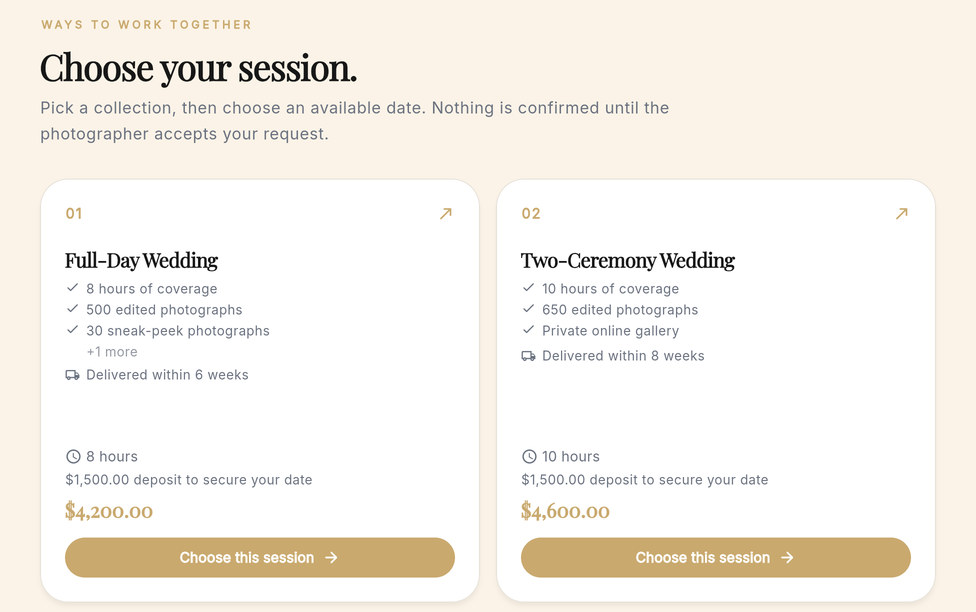

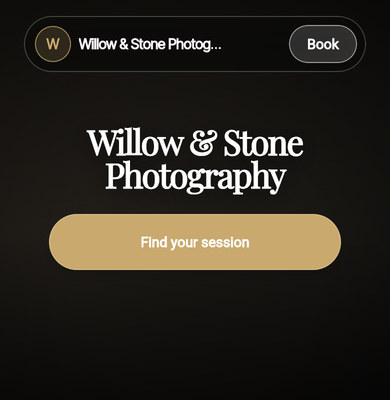
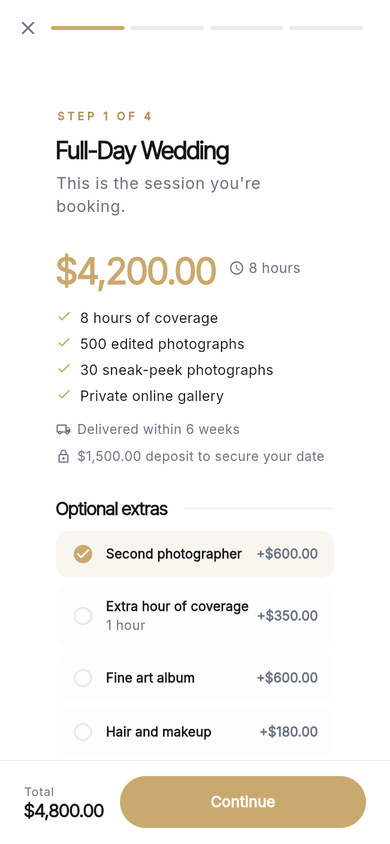
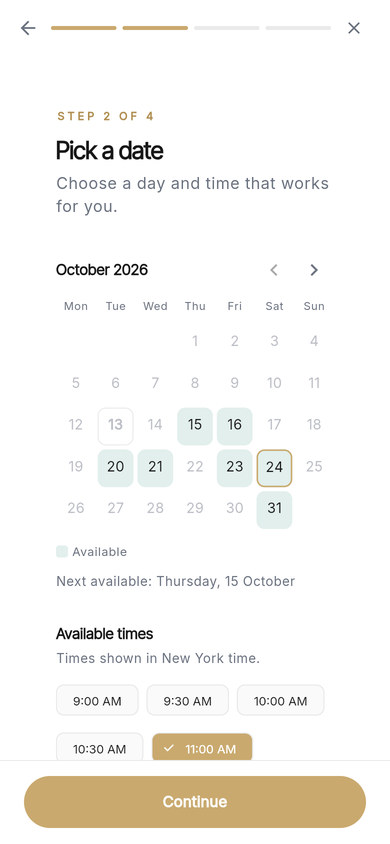
The packages and the date step on Willow & Stone Photography's booking page. Willow & Stone is a demo studio, and its clients are fictional.
A booking page that feels like your brand.
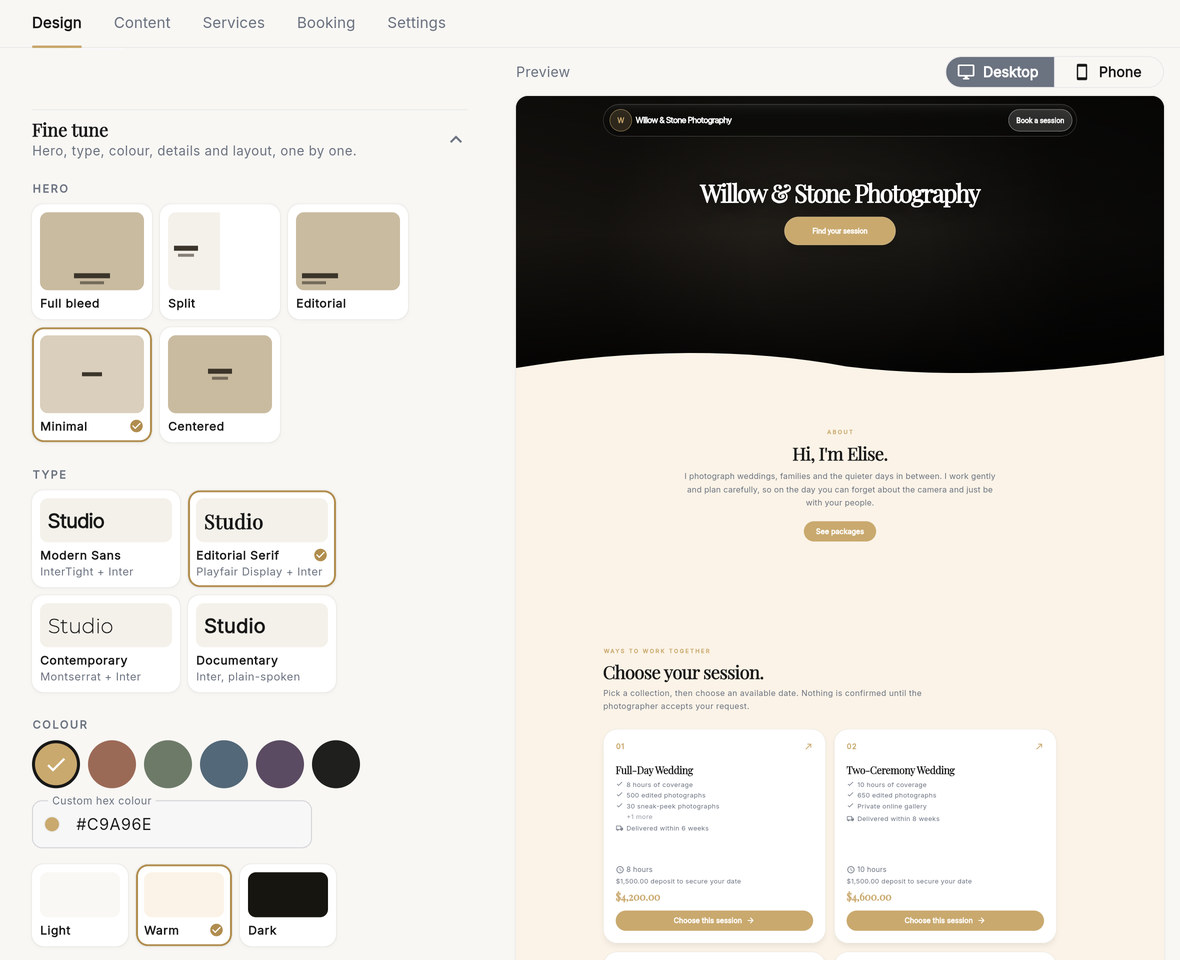
Your photography booking page is often the first thing a client sees after your portfolio. Choose a starting style, then fine-tune the hero, type, colour and layout until it looks like your studio. No code, no templates to fight.
Six starting styles
- Editorial
- Fine Art
- Documentary
- Modern
- Luxury
- Bold
Or keep the StudioFolio original design.
Five hero layouts
- Full bleed
- Split
- Editorial
- Minimal
- Centered
Four type pairings
- Modern Sans InterTight + Inter
- Editorial Serif Playfair Display + Inter
- Contemporary Montserrat + Inter
- Documentary Inter, plain-spoken
Your colours
- Light
- Warm
- Dark
Six accent colours or your own hex code, on a light, warm or dark page. Add your logo and a cover photograph.
See it as your clients will.
Every change shows in a live preview of the real page, on a desktop or on a phone, before anything is saved.
Not sure where to start? Style my page suggests three directions based on your services. Preview each one, and nothing changes until you apply it.

From blank page to booking-ready.
Four steps, all in the Booking Page editor.
-
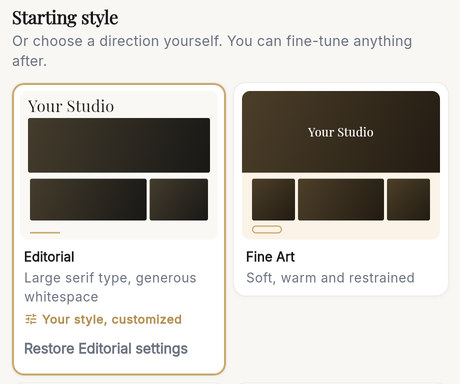
Pick a starting style
One tap sets the type, hero, background and layout together. Change any of them afterwards.
-
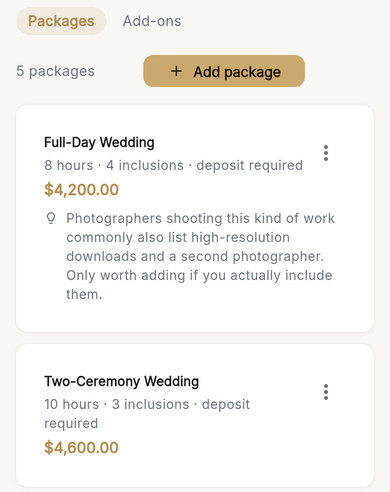
Add your packages
Name each session, say what's included and set its price, length and any deposit.
-
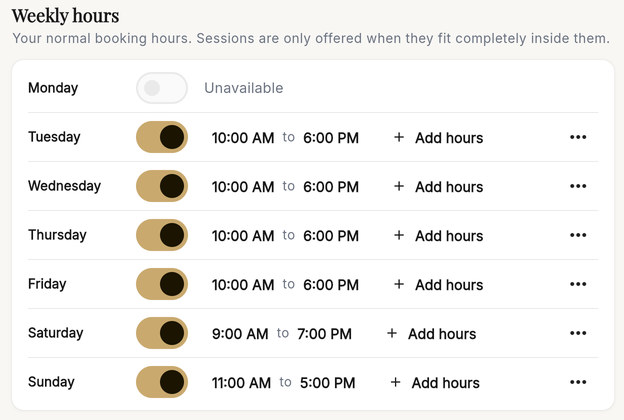
Set your availability
Choose your hours for each day of the week and add time off. Scheduling then takes care of itself: clients only see times a session fits into.
-
Turn your page live and copy the link
Switch the page on, then share its link anywhere your clients find you.



There's no separate publishing step: the switch is it. If something important is still missing, StudioFolio tells you first, and you can turn the page off again at any time.
Sessions, packages and extras.
Present every way to work with you, priced and explained, so clients arrive knowing what they're booking.
- What's included
- Hours of coverage, edited photographs, an online gallery: whatever each session includes, listed on its card.
- How long
- Each session's length, from a 90-minute family session to a ten-hour wedding day, and when the photographs are delivered.
- The deposit
- If a session needs a deposit, its amount shows on the card so clients know it's coming.
- Optional extras
- Add-ons such as a second photographer or an album, chosen with the session, with the total updating as they go.


Nothing is charged at booking.
A client sends a request, not a payment. When you confirm it, StudioFolio prepares a draft invoice for the deposit, or for the booking if the session has no deposit, and you send it when you're ready.
Easy to book. Simple to answer.
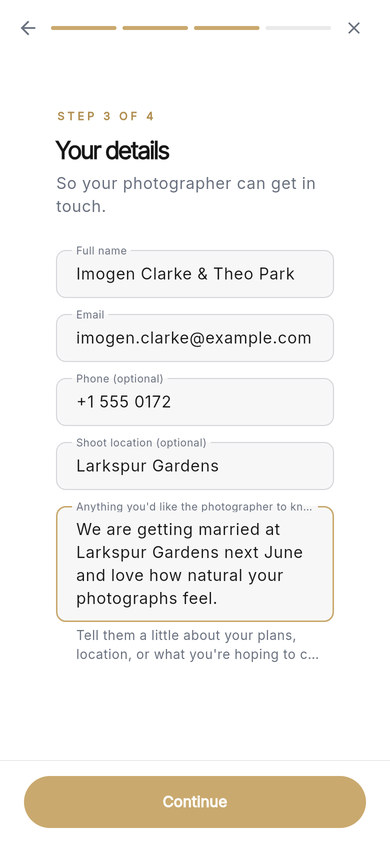
Online booking for photographers should feel personal. Clients choose a session, pick a date and time, add their details and review the request, in four short steps that work beautifully on a phone. Nobody creates an account.
-
Step 1 Session
-
Step 2 Date
-
Step 3 Your details
-
Step 4 Review
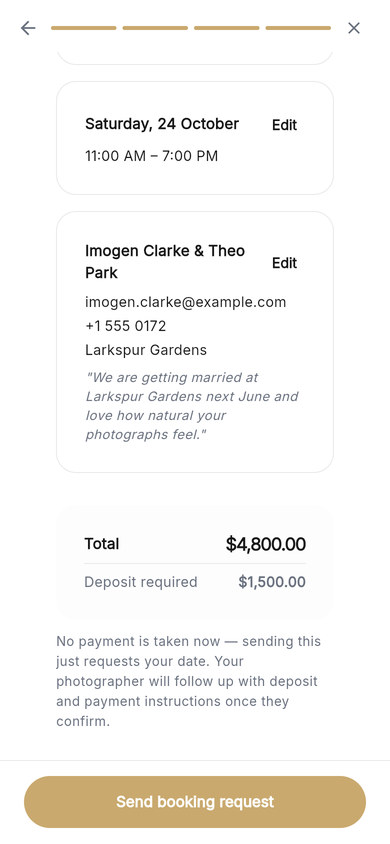


No payment is taken now.
The last step says it plainly, in the product's own words: sending the request only asks for the date. You review every request and decide whether to confirm it.
What happens after they book.
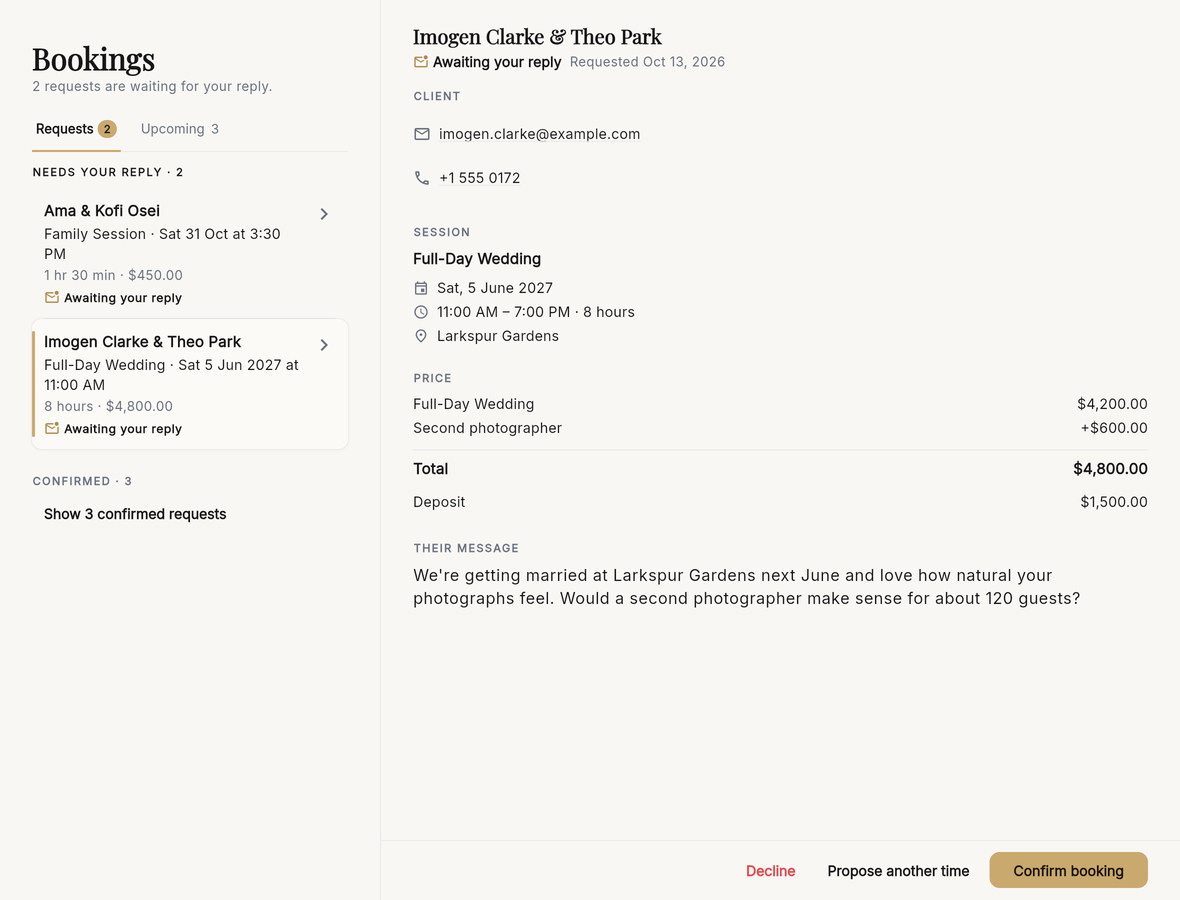
Every request waits for you in Bookings, with what they chose and what it costs.
Answer each request
Open a request to see the session, date, price, deposit and the client's own message. Then choose Confirm booking, Propose another time or Decline.
If you propose another time, the client gets an email and can accept it or tell you it doesn't work.
Confirm in one step
Before you confirm, StudioFolio tells you exactly what it will do:
- add the client, or use their existing record
- create a project and put the shoot in your calendar
- prepare a draft invoice for the deposit, or for the booking if there's no deposit
- add starter tasks and reminders
- email the client that they're booked, and email you a confirmation

Everything coming up
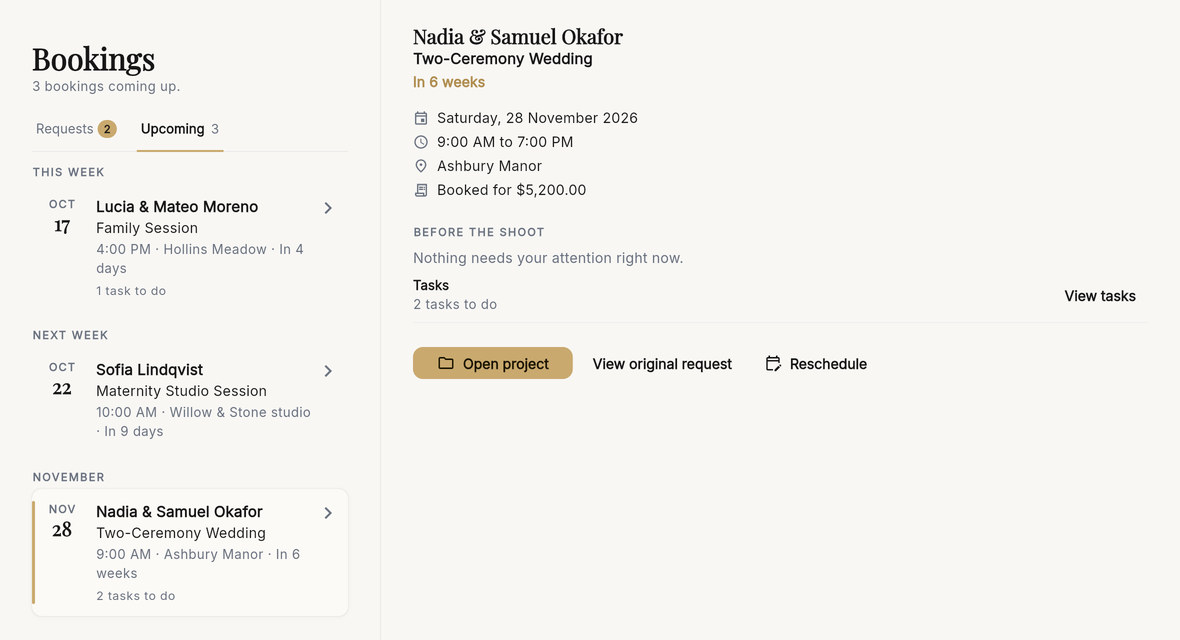
Upcoming lists your confirmed shoots, soonest first. Each shows what still needs doing before the day, from the deposit invoice to your tasks, with Reschedule close at hand.
Booking on Starter and Unlimited.
Booking pages are included on both plans, with the same design options, packages and availability.
- Starter Free
- Your booking page with up to 20 portfolio photos, and a small "Booking powered by StudioFolio" credit on the page.
- Unlimited $12 a month billed annually, or $15 monthly
- Unlimited portfolio photos and no StudioFolio credit.
Questions about booking.
What is photography booking software?
It's software that lets clients find a session and ask for a date without the back-and-forth of emails. StudioFolio's booking system is your booking page: your packages, your availability and a short booking flow, with every request coming back to you to confirm.
Is the booking page free?
Yes. Booking pages are included on the free Starter plan, with up to 20 portfolio photos and a small "Booking powered by StudioFolio" credit. Unlimited removes the photo limit and the credit. See everything included free.
Can clients pay a deposit when they book?
No. Nothing is charged when a client sends a request, and the booking flow tells them so. Each session can show its deposit so clients know what to expect. When you confirm the booking, StudioFolio prepares a draft invoice for the deposit, and you send it when you're ready.
Can I offer several packages and add-ons?
Yes. Add as many sessions as you offer, each with its price, length, inclusions, delivery time and any deposit, plus optional extras such as a second photographer or an album. Clients see the total as they choose.
How do I set my availability?
Set your hours for each day of the week, your booking timezone, how much notice you need, how far ahead clients can book and the time between shoots. Add time off, or different hours on a particular day. Clients are only offered times a session fits into.
Can two clients book the same time?
StudioFolio doesn't offer times that are already taken. If two clients choose the same time at the same moment, the second is asked to choose another available time.
Does it sync with Google Calendar?
Your shoots can appear in Google, Apple or Outlook Calendar through a calendar feed you subscribe to. It works one way: busy times in those calendars don't block times on your booking page.
Can I put my booking page on my website or Instagram?
Yes, by sharing its link. Copy it from the editor and add it to your Instagram bio, your website or your email signature. There's no embed code.
Do clients need an account?
No. Clients give their name and email, and can add a phone number, the shoot location and a message.
What happens when I confirm a booking?
StudioFolio adds the client, creates the project, puts the shoot in your calendar, prepares a draft invoice for the deposit (or for the booking if there's no deposit), adds starter tasks and reminders, and emails the client that they're booked.
Can I suggest a different time?
Yes. Choose Propose another time on the request. The client gets an email and can accept the new time or tell you it doesn't work. Confirmed shoots can be rescheduled from Upcoming.
Does the booking page work on phones?
Yes. On a phone the page keeps a button to your packages within reach, and the four booking steps fit the screen. You can answer requests from your phone too.
Give clients a beautiful way to book you.
Free to start · No credit card required